

What ships, and what you install
Your box arrives with the local AI runtime and one small model on it. Everything else is installed when you ask for it.This is why updates are quick. Nothing heavy is installed behind your back: an install or
an update sets up the runtime and the small model, and stops there.
The panel
Each row names the model, says what it is doing right now — Answering right now, Ready. Sleeps until needed to save memory, Off. Starts by itself when you speak — and carries a menu with the actions that apply to it:- Install / Uninstall
- Enable / Disable, and Turn on now
- Make primary or Use as fallback, for the agent model
- Manage in Memory Shard, for the memory-search model
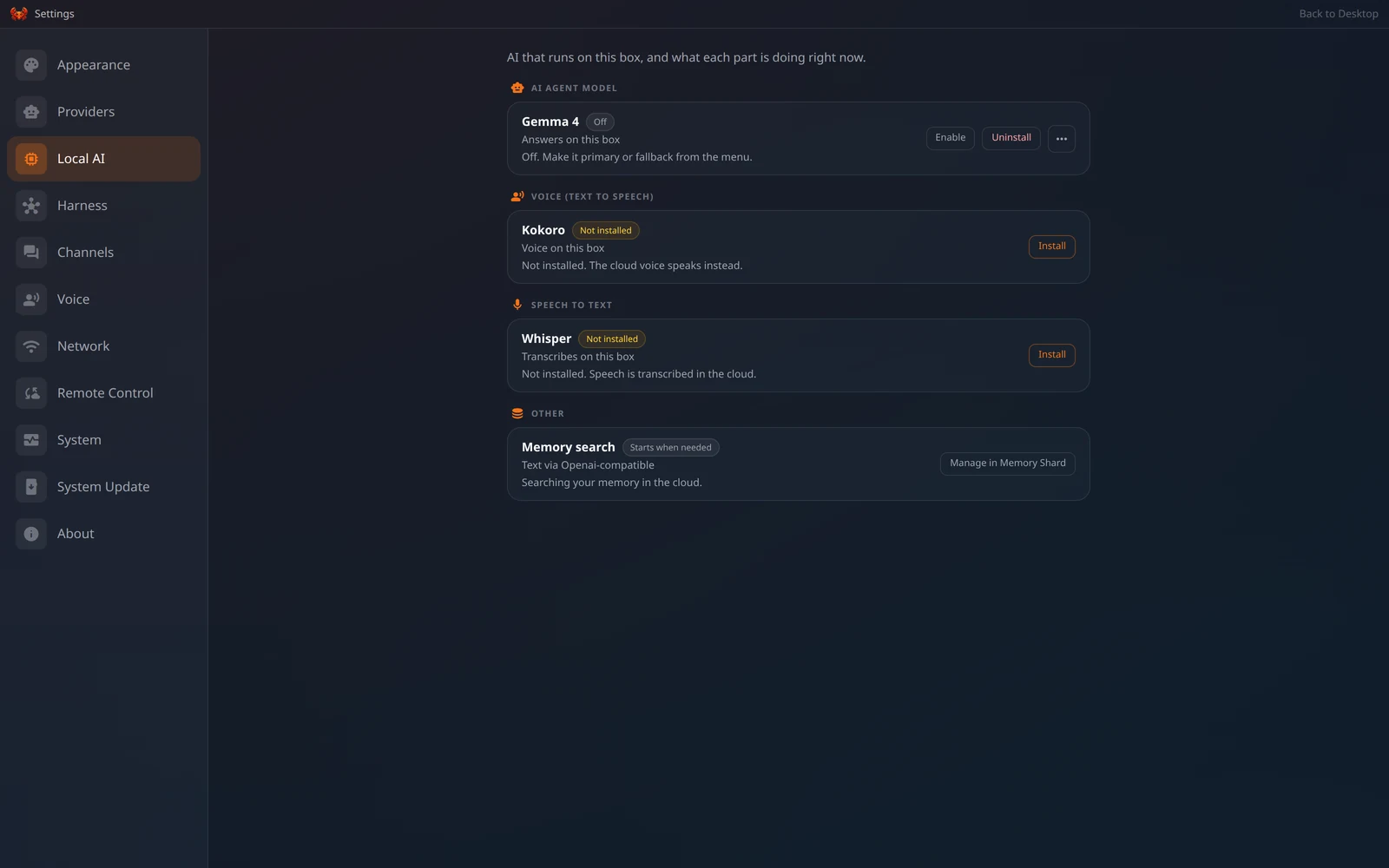
Settings → Local AI on an OpenClaw-edition box
How the models behave
- Gemma 4 (on-device) runs on the box’s own llama.cpp. It wakes on the first request and sleeps again afterwards to give the memory back, so the first message after a quiet period is slower than the ones that follow.
- Its reasoning control depends on the edition. On the Hermes edition it is a two-state switch — Thinking off / Thinking on — rather than an effort scale, because that is what its backend accepts. On the OpenClaw edition the model takes no reasoning level at all, so no reasoning pill is shown while it is answering.
- Turning a local model on makes it available. It does not take over. Making it your default is a separate, explicit choice.
- Kokoro starts cold: the first sound can take fifteen seconds or more unless you leave it switched on, which keeps it warm. It speaks English only — for other languages use the ClawBox AI cloud voice.
- Whisper comes in several sizes. Bigger is more accurate and slower, and the box keeps using the current one until the new one has finished downloading.
Local-only mode
Local-only mode is an OpenClaw and dual feature. It is built on the OpenClaw gateway’s
fallback chain, which the Hermes edition has no equivalent of, so the switch is not offered
there.
Local versus the cloud
On a box connected to ClawBox AI — on every edition — speech-to-text, spoken replies and memory indexing default to the cloud your plan covers. The engines on the box remain the fallback and remain selectable: pick the box in this panel, or in Memory Shard’s settings for the index, and the box is what it uses. A choice you make here is never overwritten by a later default.What the hardware can run
ClawBox (Jetson Orin Nano, 8 GB) runs a small model comfortably and is best
paired with a cloud provider for heavier work. ClawBox Workstation (DGX Spark, 128 GB
unified memory) runs models up to roughly 200B parameters locally. See
Requirements.