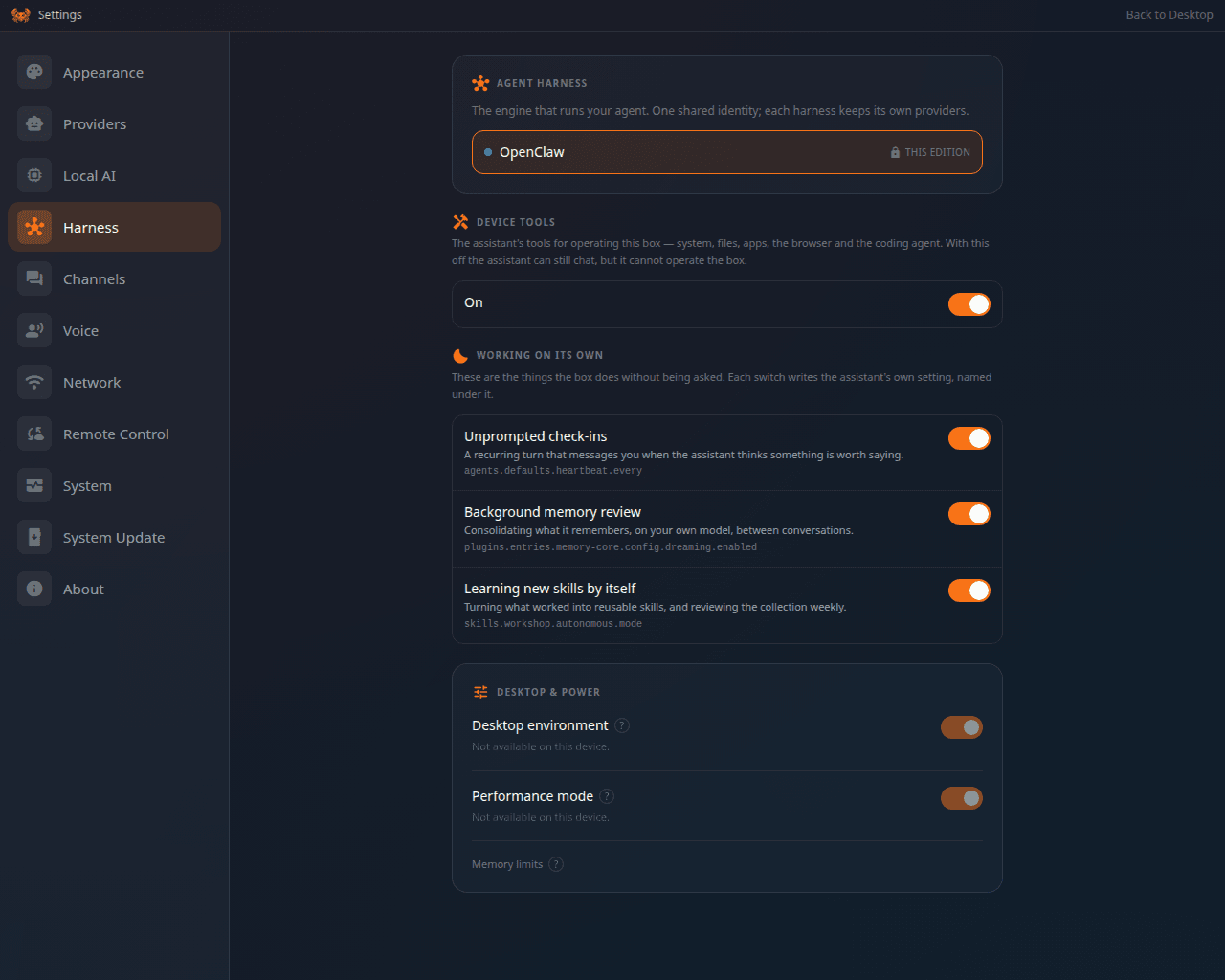
A ClawBox ships as one editionOpenClaw or Hermes. Since September 2026 you can change that on a box you already own, from the device, without a reflash and without a second box. Settings → Harness shows the two agents with their logos, which one is running, and a Switch to … button for the other.
The Harness settings panel, describing the agent harness as the engine that runs your agent with one shared identity, and showing OpenClaw as the harness this box is locked to.

Settings → Harness: the agent this box runs, and the one it can be switched to

This is a different thing from the dual edition’s runtime picker. A dual box has both agents installed and switches between them instantly. A single-edition box has one agent installed, so switching means installing the other one and re-baking the device’s edition lock — which is what this does.

What it needs

The Max plan

Switching the agent is part of the Max ClawBox AI plan. Keeping the agent your box already runs costs nothing and needs no plan.

An internet connection

The other agent is downloaded and installed. The box refuses at the door rather than failing minutes in.

About 3 GB free

Plus enough free memory at the moment you start; the box checks both first.

Nothing else running

A coding run in progress blocks a switch — wait for it or stop it first.

What happens

1

You confirm

The dialog lists exactly what is about to happen, including that the chat and the assistant are unavailable while it runs and that it cannot be cancelled once started.
2

The other agent is installed

A few minutes, with live progress through six phases: request, install, edition, set up, carry over, done.
3

The edition lock is re-baked

Your box is the other edition from this point. The installer treats it as such on every later update.
4

Your things are carried over

Your ClawBox AI sign-in and your Telegram bot token move across. Memory Shard’s folder list moves with them.
5

The desktop reloads

Onto the other agent, with its own apps.

What carries over, and what does not

Each agent keeps its provider sign-ins in its own configuration. Signing in to a provider on one side does not sign you in on the other — set them up again after the switch.

Going back

The same button. A box switched to Hermes shows Switch to OpenClaw, and it does the same job in the other direction.

If it does not finish

The dialog names the reason it refused — no plan, offline, not enough disk or memory, a coding run still working, an update already running, a switch already running. If the connection to the box is lost mid-switch, the switch itself carries on; close the dialog and re-open Settings → Harness to see where it stands. If the box comes back still reporting its old edition, stop there and contact support rather than switching again.

Doing it at install time instead

On a device you are installing yourself, the edition is chosen by the installer — see Editions → How the edition is chosen. The installer still refuses to change the edition of a box that is already installed; the switch above is the supported way to do that.