

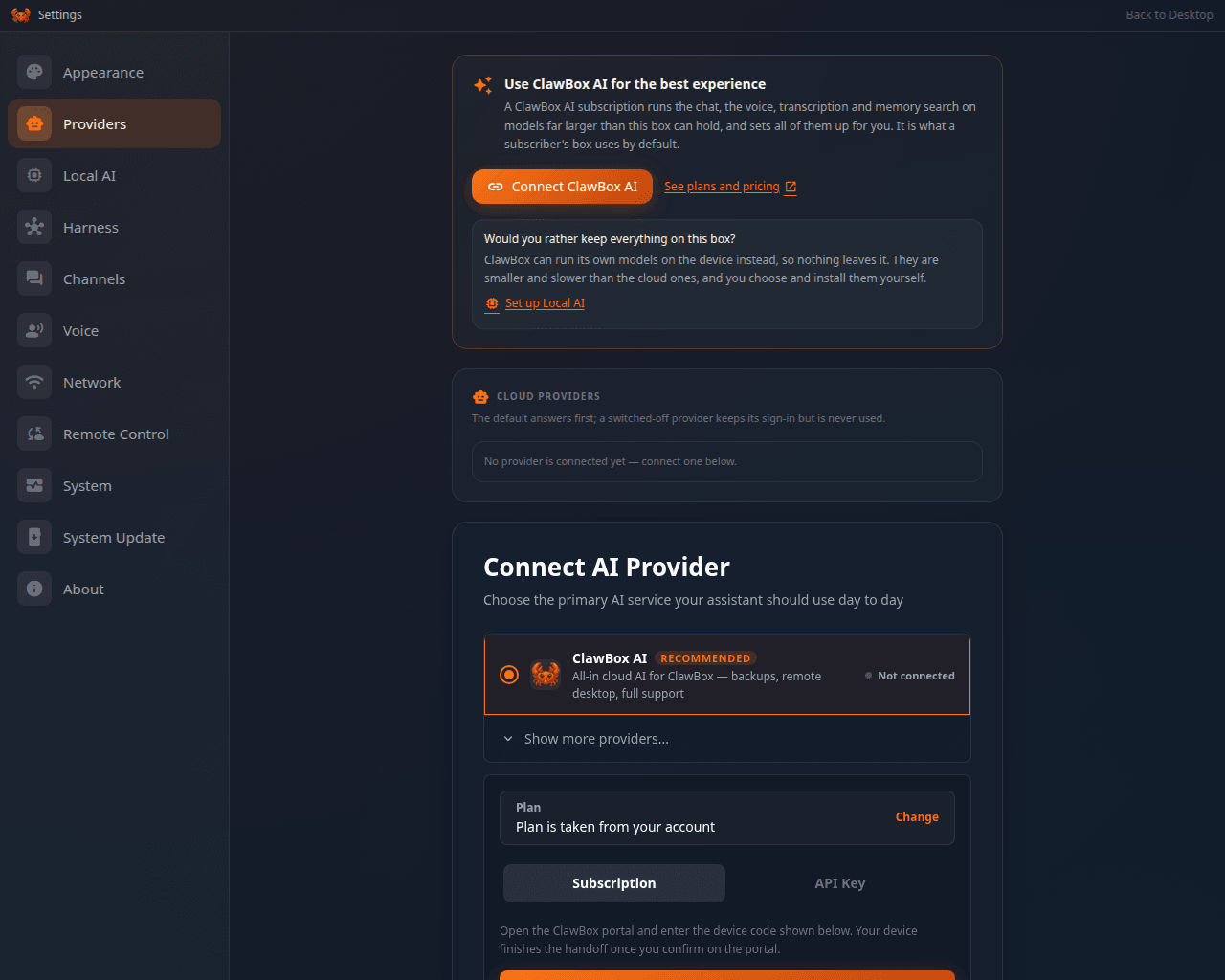
Settings → Providers on a box that has not connected a provider yet
Connecting your box
1
Open the provider panel
Settings → Providers, or the AI provider step of the first-boot wizard.
2
Choose ClawBox AI
It is the first row. Pick the plan you want on the card below it.
3
Authorize the box
The box shows an Open authorization page link and a short code. Open the page —
on your phone is fine — and enter the code there. The box waits and picks the
authorization up by itself.
Changing which ClawBox account a box is linked to unpairs ClawKeep
backups with it — the backups belong to the account.
What each plan covers
The full price list is on Subscriptions. What matters on the device is this:On ClawBox AI there is no model to pick: the chat names the provider and shows no model
pill beside it. What a plan buys is how much you get and which device features are
unlocked. The reasoning control is there and starts at Medium.
What your plan powers
ClawBox AI is not only the chat model. On a connected box, three things that used to run engines on the device default to the cloud your plan already covers:
Two rules govern this, and both are deliberate:
- It only ever moves work to the cloud, never back. Nothing here quietly takes a capability off the cloud and puts it back on your box.
- A choice you made yourself is never overwritten. Every screen that lets you pick records that you picked. Pin a capability to the box and it stays pinned; choose the cloud, or hand it back to the default, and the box takes it from there.
Usage and credits
Settings → Providers shows a usage card for the connected account:- Weekly chat allowance — how much of this week’s allowance you have spent, and when it frees up.
- 5-hour burst — a shorter rolling window on top of the weekly one. Hitting it does not mean your week is gone.
- This week — separate meters for images, text-to-speech minutes, speech-to-text minutes and memory indexing.
- Credits — your balance, and what you have spent from it this week. Credits are used only after an allowance runs out, and paid plans can top them up.
The numbers come from your ClawBox account. If the box cannot read them the card says so
and tries again shortly — it never invents a figure.