

The three editions
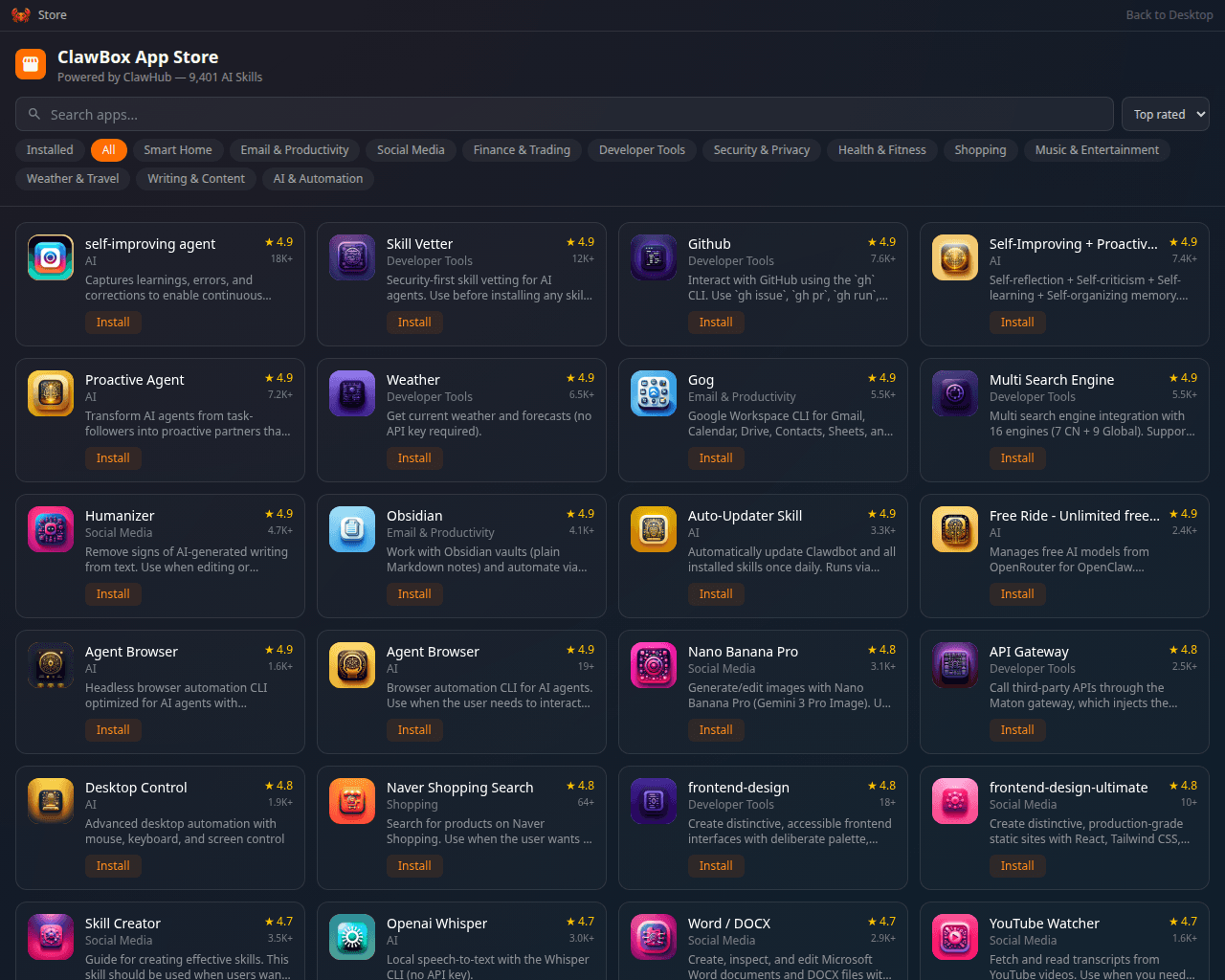
The App Store on an OpenClaw-edition box
Hermes Edition
What is on the box, what is absent, and how the desktop differs.
AI Providers on Hermes
Sign in, paste a key, or run the on-device model.
Hermes Skills
The capability store that takes the place of the App Store.
Agent Interface
The device tools the agent gets — the set differs by edition.
openclaw command is absent. See
Hermes Edition.
Dual installs both harnesses and enables a runtime switcher in Settings. It
is a premium option: the switcher only unlocks with a licence issued by ID
Robots. Without a valid licence a Dual device behaves as a locked OpenClaw
device rather than exposing the switcher.
How the edition is chosen
The edition is selected at flash time, when the device image is written and the installer first runs. The installer records it in a root-owned file,/etc/clawbox/edition.env:
The edition is a property of the install, not a setting you flip: updates never
change it, and nothing else in the desktop or the API touches it either. The one
way to change it on a device you own is Settings → Harness, which reinstalls
the box as the other edition and re-bakes this file — a deliberate, Max-plan
operation that takes minutes and reloads the desktop. See
Switching editions.
CLAWBOX_EDITION
before running the installer:
openclaw, hermes and dual. An unrecognised value prints a
warning and installs as openclaw.
That variable chooses the edition on a first install. On a device that has
already been installed, the installer compares it against the recorded edition
and stops if they differ, before it changes anything:
CLAWBOX_EDITION at all, which reads the recorded value — is the normal
re-install and update path and is unaffected. dual counts as its own edition
here, so moving to or from it is a change like any other.
The installer does not migrate an edition on its own. It will stop and disable the
harness the device is leaving — two agents on one box conflict over shared
resources such as the Telegram bot token, so that half is not left to chance —
but each harness keeps its AI provider sign-in in its own configuration file, and
signing in does not carry across. A device installed over the top of another
edition ends up with no usable model while still reporting that setup is
complete, which is why a bare CLAWBOX_EDITION change is refused rather than
half performed. The supported way to change a device’s edition is
Settings → Harness, which runs the installer’s own steps in
the right order and carries the credentials it can across.
If an edition’s units are ever found running on a device that does not belong to
that edition, the installer reports them and brings them down. To keep them
exactly as they are — while diagnosing, for instance — run the installer with
CLAWBOX_KEEP_FOREIGN_UNITS=1; the check still reports them, it just does not
act. To bring them down on demand:
Which edition am I on?
Over SSH or in the Terminal app:There is no
clawbox command on PATH — the CLI wrapper lives in the checkout and is run
through Bun. bun is on the interactive PATH, so this works in the Terminal app and in an
interactive SSH session; scripts should use /home/clawbox/.bun/bin/bun.GET /setup-api/harness/status
returns the edition alongside locked and the active harness.
You can also tell by looking. On a Hermes device the desktop has a Skills
icon and a Hermes icon, and no App Store or OpenClaw Control UI. On an
OpenClaw device it is the other way round.
What is the same on every edition
Nearly everything else. The setup wizard, the desktop environment and its windows, Terminal, Files, Coding, Remote Desktop, the browser automation, webapps and the code assistant, System Update, updates, networking and mDNS, and the login model are all edition-independent. So are Memory Shard, Local AI, the mascot pet, the chat and the four guided messaging channels.What differs
- The agent, and therefore the chat backend.
- The capability store — App Store on OpenClaw, Hermes Skills on Hermes.
- How AI providers are configured — see AI Providers on Hermes.
- The agent’s own tool set — some MCP tools exist on one edition only.
- Telegram plumbing — the messages and the pairing-approval flow work the same way for you; the process behind them is the harness’s own.
- What a ClawKeep backup archives — every edition backs up, and the backup daemon picks its backend from the agent the box runs: the OpenClaw agent through the
openclawCLI, the Hermes agent through the daemon’s own Hermes backend. A snapshot can only be restored onto a box running the agent that wrote it. - Who owns the memory index — on OpenClaw it is the agent’s own and the agent searches it while answering; on Hermes, ClawBox builds it and gives the agent a search tool for it. See Memory Shard.
- Spoken replies on messaging channels — OpenClaw and dual only. Every edition speaks in the desktop chat.
- Receiving email — Hermes only. Sending mail you approve works on every edition.