

Your AI. Your hardware. Always ready.
ClawBox is a small, pre-configured AI computer you can reach from Telegram, the web, and your other chat apps. Choose OpenClaw or Hermes Agent when you order; both run on the same quiet, low-power hardware.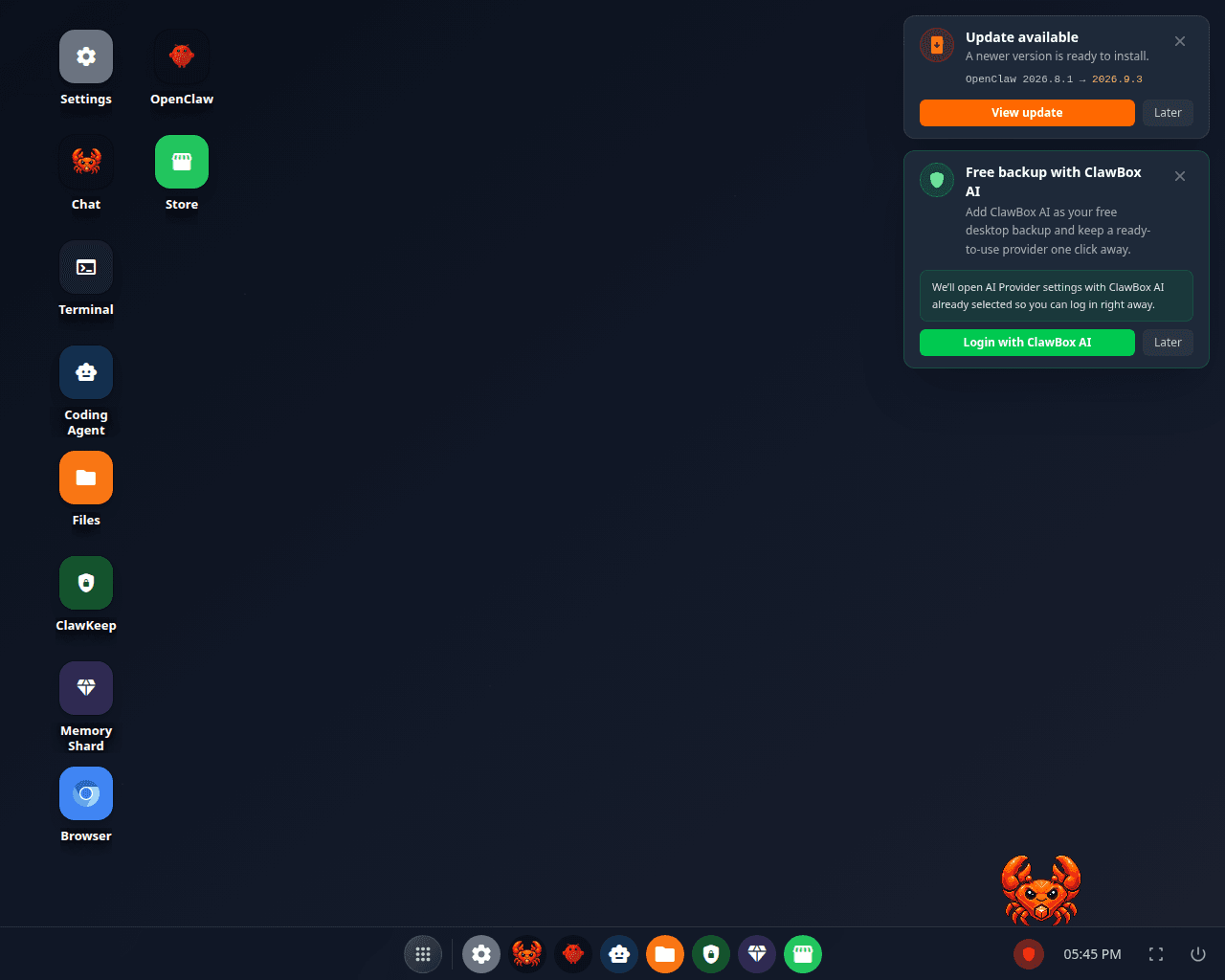
The ClawBox desktop — chat, files, automation and device controls in one place
Set up a new box
Go from unboxing to your first message.
See what changed
Read the complete release history.
Fix a problem
Start with the symptom and follow the steps.
Watch independent reviews and walkthroughs
Watch independent reviews and walkthroughs
Quickstart
Unbox, power on, and talk to your ClawBox in minutes.
First Boot
Walk through the guided on-device setup wizard.
Choose Your AI
ClawBox AI by default — or bring Claude, GPT, Gemini, or local models.
Hardware
Specs for ClawBox and ClawBox Workstation.
What ClawBox does
A small, always-on computer running a self-hosted agent that connects your chat apps to an AI. It’s for people who want a private, dedicated AI assistant without renting cloud infrastructure or babysitting a server install.Two editions, same hardware
You choose which agent your box runs when you order. Both editions are the same NVIDIA Jetson Orin Nano Super hardware at the same price.
These are separate products at checkout, so your order is identifiable as one or the other through fulfilment, invoicing and support. The edition is set when the device is produced; on a box you already own, the Max plan can switch it to the other edition from Settings. Most of this documentation applies to both editions; pages that are specific to one say so. See Editions for the full comparison.
Why people choose it
- Owned hardware — it lives on your desk, drawing as little as 7–15 W.
- Multi-channel — Telegram, Discord, WhatsApp, email and the built-in web chat all set up from Settings; advanced users can add more OpenClaw channels where supported.
- Flexible AI — ClawBox AI out of the box, a Claude / ChatGPT / Gemini subscription you already pay for, your own API key, or models that run on the box.
- Your own documents — Memory Shard indexes your notes and files so the assistant can actually find things in them.
- Pre-configured — no Linux setup, no Docker wrangling. Plug in and go.
Choose your hardware
ClawBox
NVIDIA Jetson Orin Nano · 67 TOPS · always-on assistant. €749
ClawBox Workstation
NVIDIA DGX Spark · 1 PFLOP · run 200B-param models locally. €5,499
Explore the guides
What's New
What changed on your box recently, and where to click.
Editions
OpenClaw, Hermes or Dual — what each edition is, and what changes with it.
Technical Reference
Architecture, networking, auth, updates, and the agent interface — for power users and AI agents.
Troubleshooting & Recovery
Symptom-first fixes with exact commands, plus ordered recovery options.
Need a hand?
Talk to support
Email us or join the community Discord — we’ll get you unstuck.