

vX.Y.Z tag on the main branch. The updater hard-syncs the code to the release and rebuilds in place.
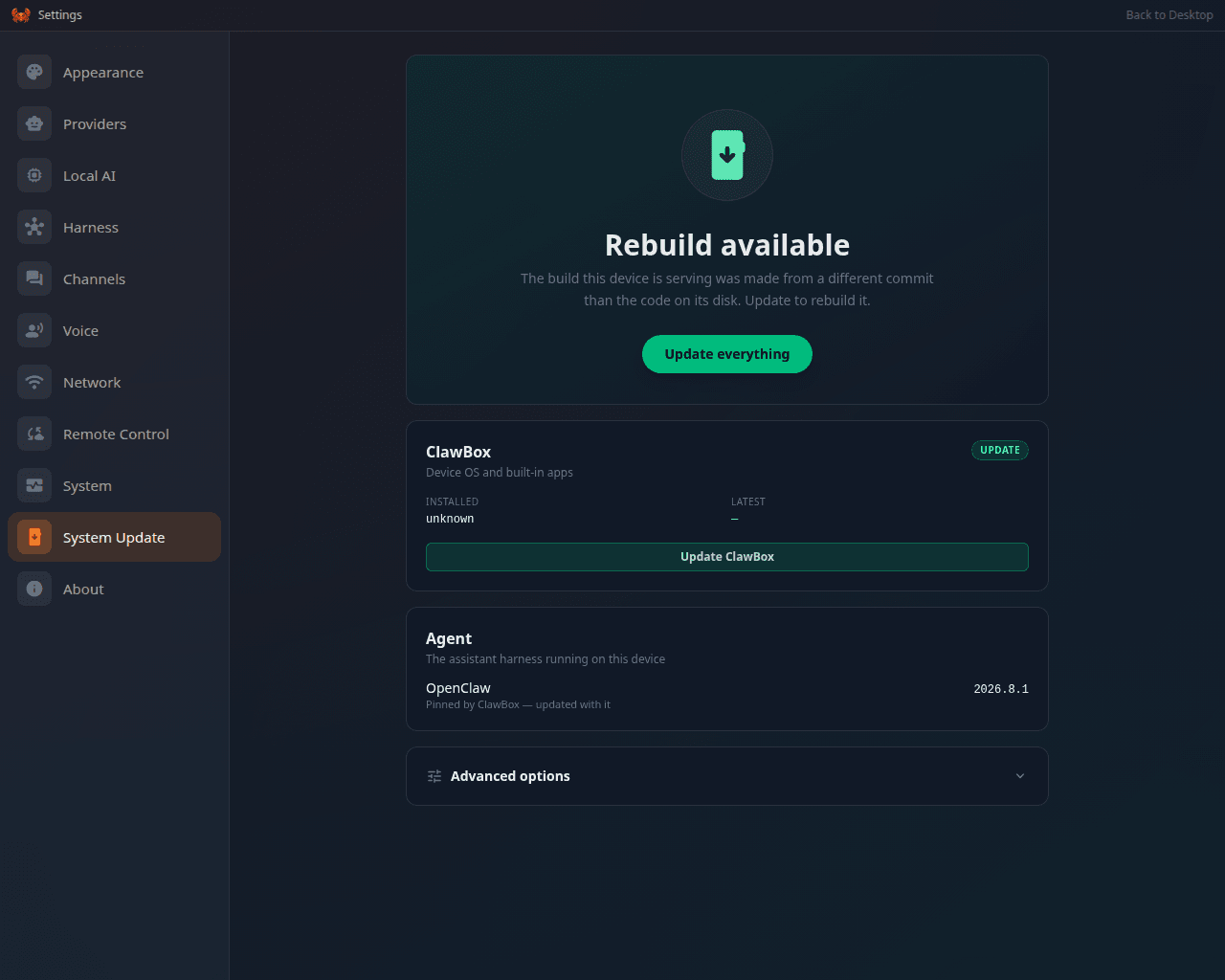
Settings → System Update, the same pipeline seen from the settings panel
How the device decides an update exists
- Fetch tags from origin.
- Consider only tags matching
vX.Y.Z, newest first. - Offer the newest tag whose history contains the device’s current commit (a fast-forward). A device whose code has diverged from the release line sees no offer — see Divergence below.
- The “Installed” version is read from
package.json; OpenClaw’s target version comes from the pin fileconfig/openclaw-target.txt.
The update pipeline
Started from the System Update app (or Settings). Steps, in order — each privileged step runs as aclawbox-root-update@<step> systemd unit:
Key properties:
git clean -fd(no-x) — gitignored paths are never touched, which is what preservesdata/,.env,node_modules, and your state. See what survives.- The
restartstep reboots the box. Expect ~1–2 minutes of unreachability; the UI reconnects and resumes progress reporting afterwards, then runs the remaining steps. - After reboot, completion is only reported if the build fingerprint (
.next/BUILD_ID) actually changed and the rebuild unit succeeded — a failed rebuild surfaces as a failed step, not a silent “complete”.
Build identity and drift
.next/BUILD_ID proves two asset sets differ; it never says which source produced them. So every build also writes .next/build-info.json (commit, short commit, branch, dirty flag, build time, the BUILD_ID it belongs to, node/bun versions, the Hermes and OpenClaw pins) via scripts/write-build-info.mjs, and the postbuild step copies it into .next/standalone/.next/ — the tree the service actually runs from.
The same postbuild step also deletes .next/standalone/data. Next’s file tracing follows the data/ paths in the middleware and the instrumentation hook into the standalone bundle, and its own outputFileTracingExcludes only reaches route entries, so a build otherwise leaves a multi-gigabyte second copy of your data/ tree — model weights, webapps and all — inside a build artifact that nothing reads (the service runs from /home/clawbox/clawbox, so every reader resolves data/ there). Expect .next/standalone to shrink by the size of data/ on the first update that includes this.
GET /setup-api/system/build-identity compares three things that are not assumed to agree:
It returns a
drift object (buildVsCheckout, checkoutVsPin, detected, plus plain-language reasons and machine-readable codes). Settings → About shows the commit, branch and build time; About and System raise a warning banner as soon as drift is detected.
Drift does not block an update. When the updater finds it, the update:
- warns — one line per problem, in the update log and the journal;
- auto-repins — a box with no usable
.update-branchis pinned to the branch the update resolved, so the next one is repeatable (an operator’s existing pin is never overwritten); - rebuilds, then verifies.
verify_build_identityis the only hard gate: a device that has rebuilt and still does not serve its own source fails the update loudly rather than serving 404s for features whose code is on disk.
.github/workflows/build-identity.yml), so a pull request whose build cannot be traced back to its own commit goes red.
Update channels
The channel is a one-line file:/home/clawbox/clawbox/.update-branch (absent = main).
main— stable releases. Default.beta— the integration branch, for early adopters and testing fixes ahead of release.
echo beta > /home/clawbox/clawbox/.update-branch. The pin survives updates and factory resets; clear it from the same UI or by deleting the file. All update mechanisms (UI, installer, recovery script) honor it.
With no pin recorded (file absent or empty) the box follows the branch it is checked out on, and main otherwise, so it still sees new releases. Advanced options shows the branch updates actually follow and whether it was recorded. The one exception is a detached checkout that nothing on the box ties to a branch. The update check still compares it against main, but the update itself refuses to guess a channel and asks for a branch to be entered first.
Ways to update
Divergence (“Updates paused”)
If the device’s git history gains local commits (an on-box agent committing, manual edits), its HEAD is no longer an ancestor of any release tag → the updater has nothing safe to fast-forward to, and on stable releases the device silently reports “up to date” forever. On the beta channel (and the next stable release), this state is detected explicitly (ahead > 0 && behind > 0 vs the channel) and surfaced in the System Update app as:
Updates paused — this device is on a non-release branch with local changes (N commits ahead of main). Reset to main to resume updates.…with a one-click Reset to
<channel> & update button (confirmation-gated — it discards local code commits, keeps all data) that pins the channel and runs the normal update. The equivalent manual fix is the hard-sync in Recovery → Safe reinstall.